
Match the article automatically
Use article tags to find relevant products, or select one exact Shopify product tag for a controlled recommendation set.
FeedX places relevant products inside Shopify blog articles using flexible positions, tag-based rules, polished layouts, and dependable fallback sources.
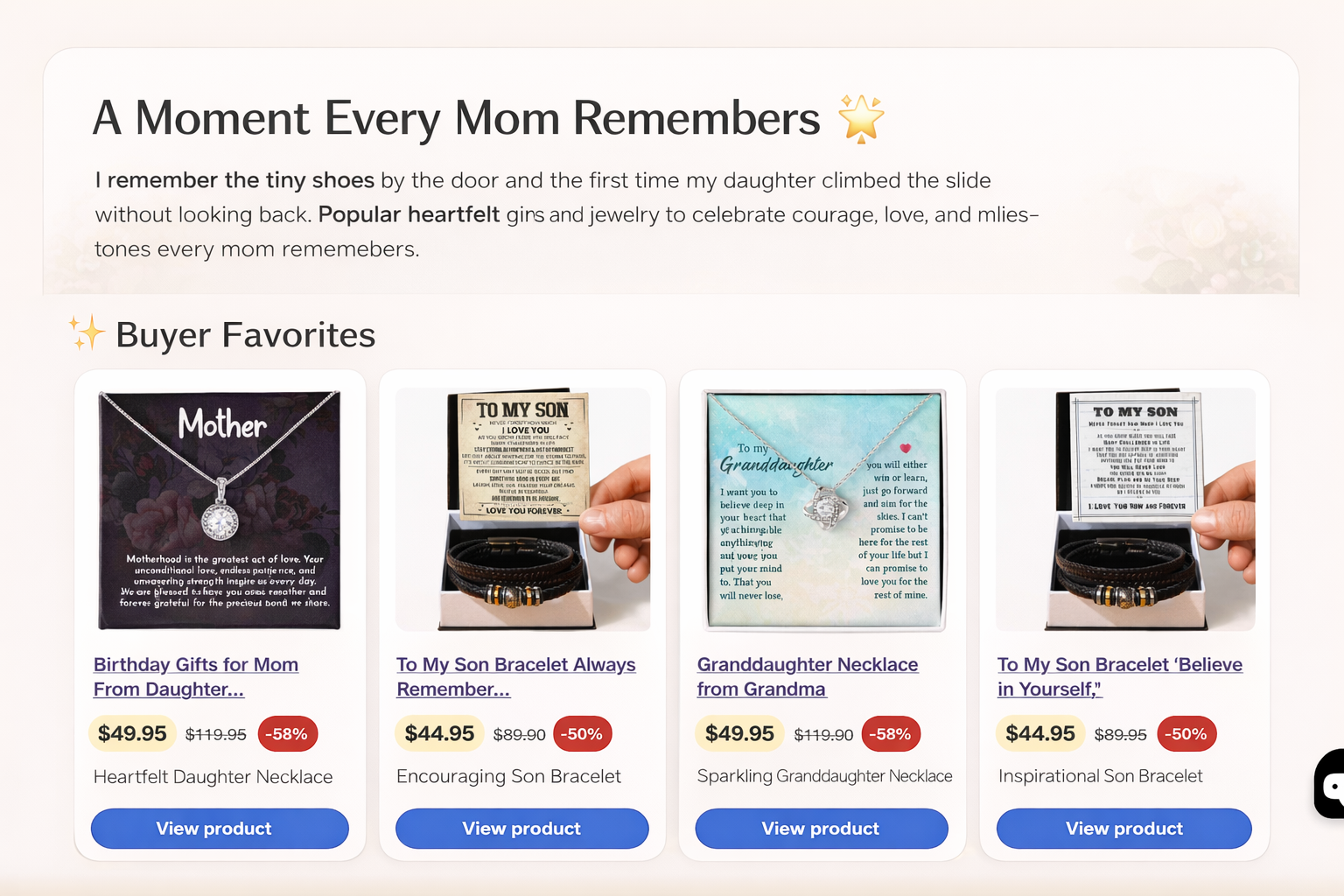
Choose what appears, where it appears, and how it looks. FeedX handles the storefront delivery through Shopify's App Embed workflow.
Use article tags to find relevant products, or select one exact Shopify product tag for a controlled recommendation set.
Show recommendations above, below, between early paragraphs, or before the final paragraph.
Use a multi-product grid, one featured recommendation, or a compact inline card.
Use best sellers or a chosen Shopify collection when the primary article match returns too few products.
Configure each recommendation section inside Shopify Admin, enable the App Embed once, and keep control without editing theme code.
Read the setup guideOpen Shopify's theme editor, enable FeedX Related Products, and save the theme.
Match article tags or one product tag, then choose where the section appears.
Select grid, featured, or inline layout; set the product count and button label.
Choose best sellers or a collection so the section remains useful when matches are sparse.
Fit the content instead of forcing every article into the same product block.
Show three to five products after a strong editorial section.
Give one relevant product a larger, campaign-like moment.
Keep the recommendation compact and close to the paragraph context.
FeedX uses the Shopify resources needed to load product and collection recommendations and stores merchant configuration required to render them. Support and privacy routes are easy to find.
Choose the plan in Shopify and manage billing through the standard Shopify App Pricing flow.
Start with one recommendation section.
Create more recommendation moments across each article.
Need anything else? Send the FeedX team your store context and question.
Contact supportNo. The storefront feature is enabled through Shopify's App Embed workflow. You can turn it off from the theme editor.
A section can match Shopify blog article tags automatically or use one specific product tag. A collection or best sellers can provide fallback products.
Above or below the article, after the first, second, or third paragraph, or before the last paragraph.
Yes. Each section can independently use grid, featured, or inline presentation with its own title and button label.